
FI Patient App · Patient surface of Follicle Intelligence
The patient journey, in the patient’s hands.
See the next step, complete important actions, follow milestones, keep quotes and documents connected — and submit progress photos when a clinic visit is not possible.
The FI Patient App gives patients one clear place to understand what happens next, complete important actions, follow milestones, share visual progress updates and access the information connected to their care.
The clinic manages the journey in FI. The patient follows, completes actions and contributes progress photos through the Patient App.
Availability
Core patient journey workflows — including remote progress photo capture — are implemented and available within controlled pilot scope. Wider patient deployment, support validation and distribution readiness are continuing.
Available within approved clinic pilot programmes. Public app-store distribution is not yet available.
Architecture distinction
PatientOS and the FI Patient App are not the same product.
The Patient App closes the loop between clinic workflows and patient participation, creating a more complete record of readiness, communication, visual progress and long-term engagement.
PatientOS
The clinic-facing longitudinal patient record shared across FI workflows.
FI Patient App
The patient-facing mobile experience for actions, milestones, next steps, quotes, documents, pathology, remote progress photo capture and journey communication.
The patient problem
Important information should not live across disconnected channels.
Patients often know they are progressing through a clinic journey, but not always what they need to do next. Important information can become fragmented across calls, email, forms and separate systems.
01
Missed actions
Patients lose track of what still needs their attention.
02
Repeated questions
Teams re-explain the same next step across channels.
03
Delayed readiness
Quotes, documents and pathology stall without a shared view of progress.
04
Confusion about responsibility
It is unclear what the clinic owns versus what the patient must complete.
05
Hard-to-find information
Patients struggle to retrieve the right quote, form or instruction later.
06
More administrative chasing
Staff spend time following up through email and phone instead of the journey record.
Usability principle
One clear next step.
The app prioritises the action that matters most, helping the patient move forward without navigating a full clinic system.
- Review a quote
- Complete a document
- Upload required information
- Capture a progress photo update
- Complete pathology requirements
- Prepare for the next milestone
- Contact the clinic when attention is needed
Inside the Patient App
A clear mobile surface for the journey ahead.
Demonstration screens from Phase 1 Journey Control — next step, Action Centre, timeline, quotes, pathology and structured patient actions. Remote progress photo capture is part of the same pilot patient surface.
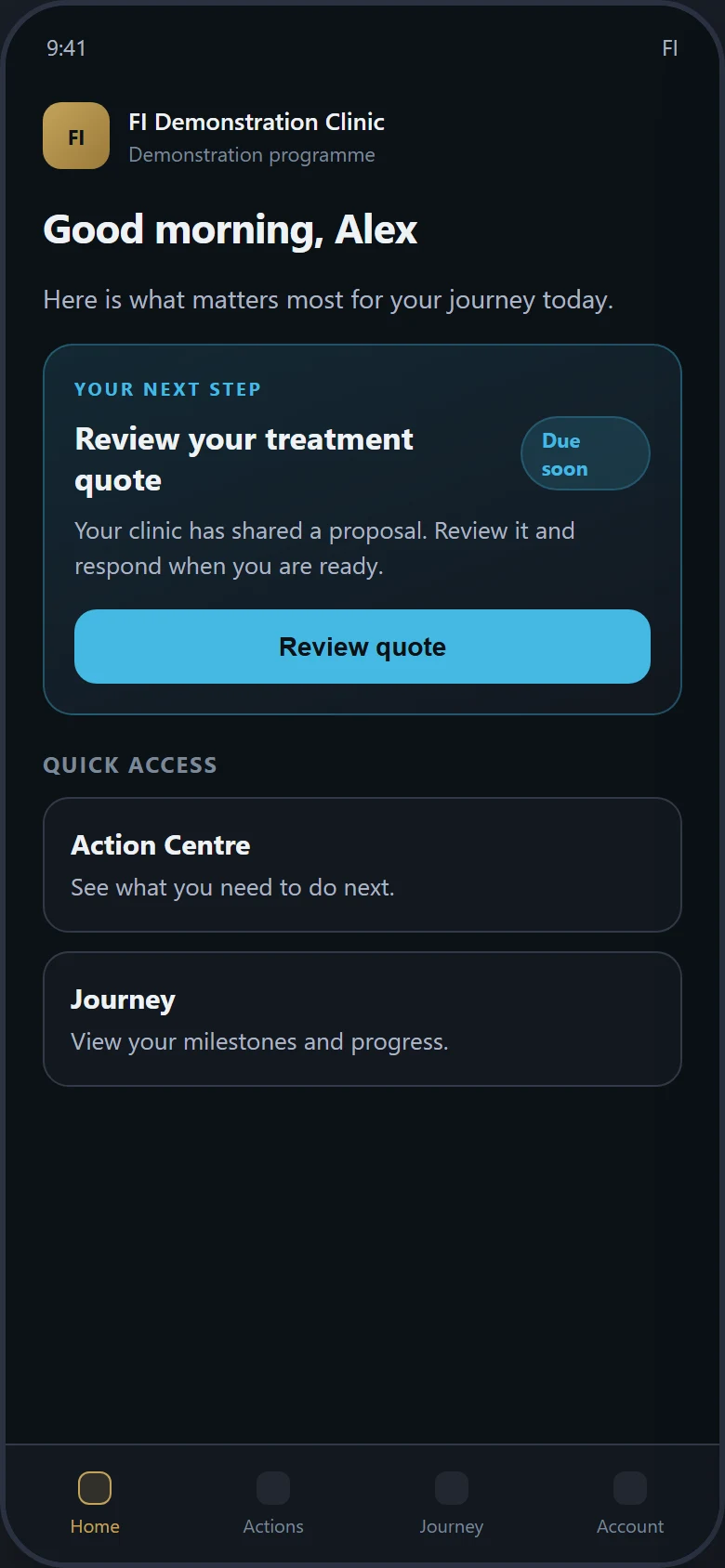
Home
One clear next step — review the quote and move forward.
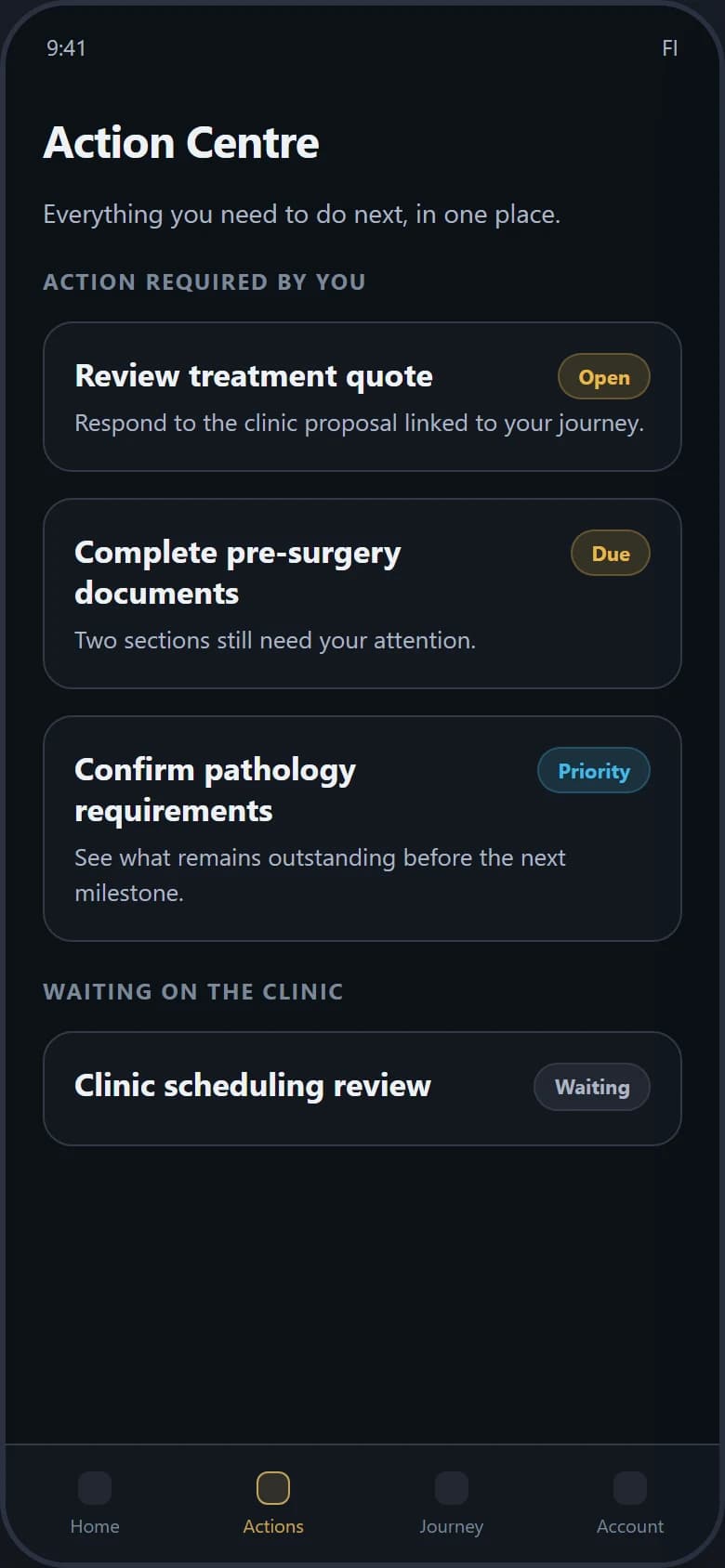
Action Centre
Outstanding actions, priority and unfinished work in one place.
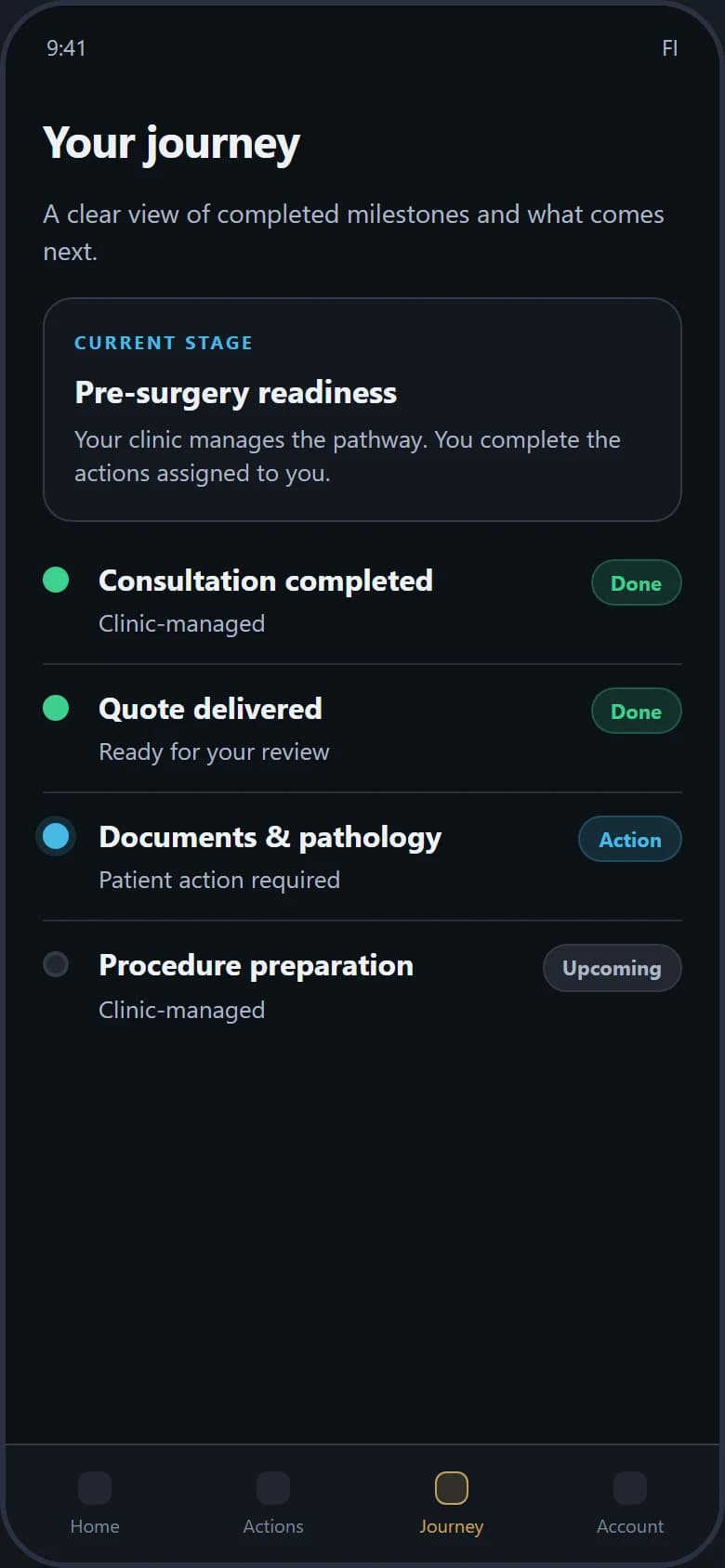
Journey Timeline
Completed milestones, patient actions and clinic-managed steps.
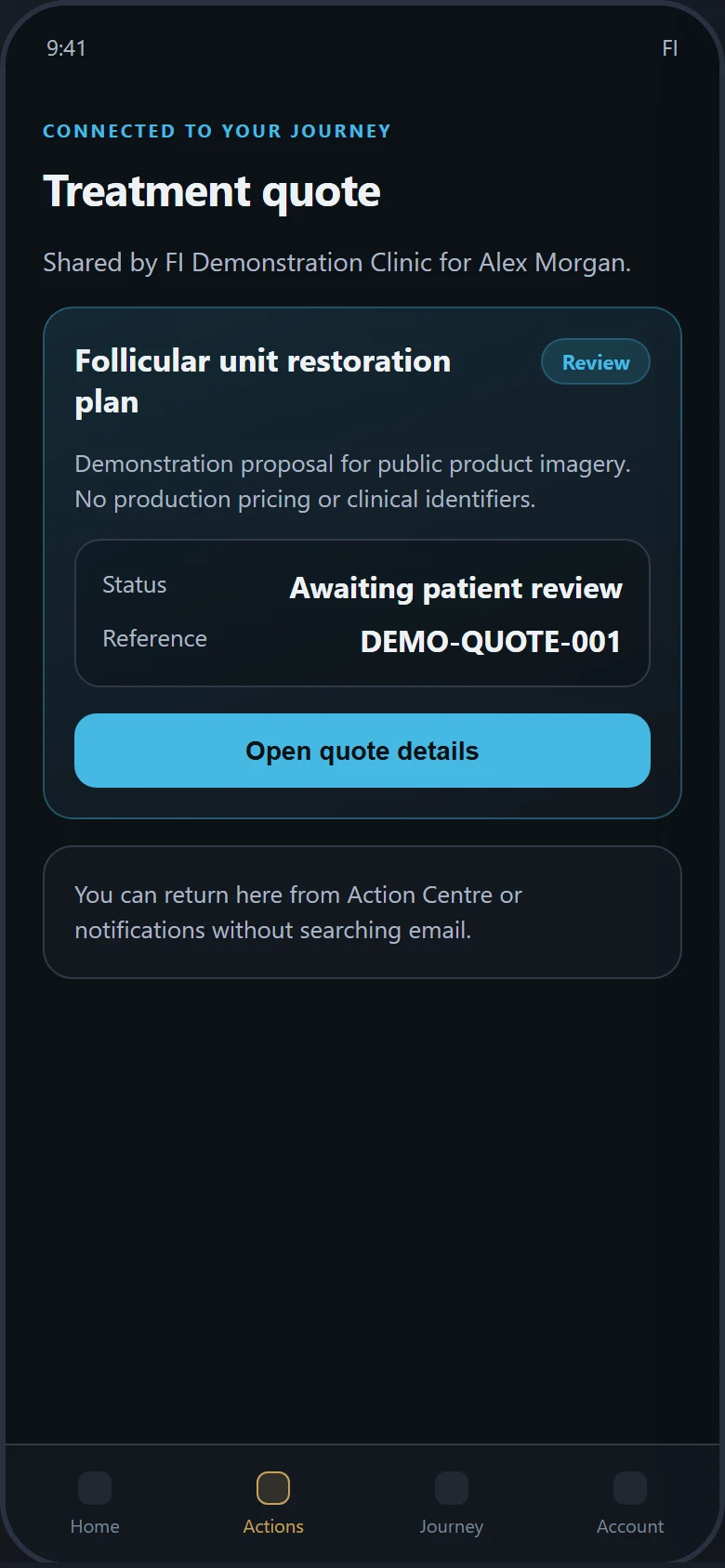
Quotes
Return to the clinic proposal without searching email.
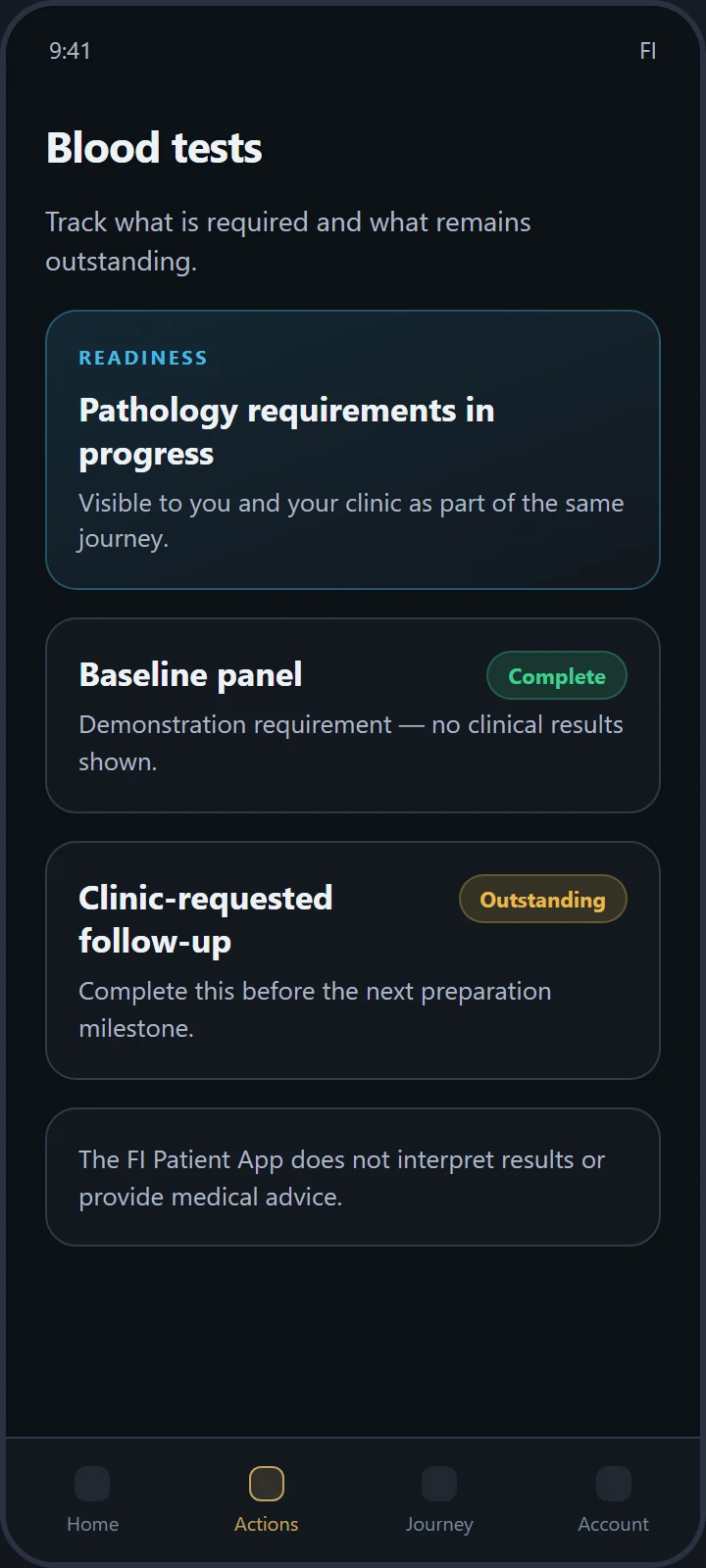
Pathology
See what is required and what remains outstanding.
Interface shown with demonstration data for Alex Morgan at FI Demonstration Clinic.
Interface shown with demonstration data.
Remote Progress Updates
Capture progress photos when you cannot return to the clinic.
Patients can capture and submit progress photos directly in the FI Patient App. Visual updates help patients stay within treatment guarantee guidelines and keep the clinical team informed of healing and density progress between visits.
01
Remote photo capture
Submit progress photos from the patient’s phone when a clinic visit is not practical.
02
Continuity of care
Visual updates support follow-up between appointments without fragmenting the record across messaging apps.
03
Guarantee compliance support
Structured photo submissions help patients remain compliant with treatment guarantee requirements where the clinic pathway requires them.
04
Connected clinical record
Photos become part of the same longitudinal patient record clinic teams use in FI — not a disconnected album.
05
Authorised clinical access
Submissions are secured and visible only to the authorised clinical team for that patient and tenant.
Available within approved clinic pilot programmes and configured pathways. Not a claim of public app-store distribution or full multi-clinic outcome programmes.
Action Centre
Outstanding work, clearly prioritised.
Patients can see outstanding actions, priority, due state, completion status and unfinished work — including progress photo requests — and return directly from notifications.
Patient benefits
- Less uncertainty about what to do next
- Clearer responsibility
- Faster completion
- Easier return to pending tasks
- A clear path to submit progress photos when requested
Clinic benefits
- Reduced chasing
- Better readiness visibility
- Fewer missed actions
- More consistent patient communication
- Visual progress updates without ad-hoc photo channels
Journey Timeline
Understand where you are — and what comes next.
The timeline turns a complex treatment or surgery pathway into a series of understandable milestones.
- Where the patient is now
- What has been completed
- What is coming next
- Which milestones require patient action
- Which milestones are clinic-managed
Configured pathways depend on the approved clinic pilot. Not every clinic pathway is claimed as currently configured.
Connected journey elements
Quotes, documents and pathology stay on the same journey.
These are not separate products. They appear as connected elements of the patient journey when the clinic pathway requires them.
Quotes
- Review the clinic’s proposal
- Understand when action is required
- Return to the quote without searching email
Documents
- Access important clinic documents
- Complete required steps
- Keep documentation linked to the relevant milestone
Pathology
- See what is required
- Understand whether actions remain outstanding
- Keep readiness visible to both patient and clinic
Electronic signatures beyond current document flows, payments, result interpretation and pathology-provider integration are not claimed on this page.
Notifications
Take the patient directly to the action that needs attention.
Notifications should take the patient directly to the action that requires attention.
- Less navigation
- Faster completion
- Reduced notification fatigue
- Better measurement of engagement
Notification behaviour depends on the approved pilot environment and device permissions.
Connected to the clinic operating system
One journey, seen from both sides.
Clinic teams work in FI. Patients participate through the Patient App. The same journey state connects both views.
- 01Clinic creates or updates the journey
- 02FI determines the next action
- 03Patient receives the action in the app
- 04Patient completes or responds
- 05Clinic sees the updated journey state
Patient benefits
Clarity, confidence and continuity for the patient.
Clarity
Patients can see what happens next and what requires their attention.
Confidence
Milestones make the journey feel coordinated and understandable.
Convenience
Important information remains available in one mobile experience.
Continuity
Instructions, documents, actions and progress photos remain connected to the same journey.
Participation
Patients can complete their part of the process — including remote visual updates — without relying on repeated calls or email threads.
Progress between visits
When a clinic return is not possible, patients can still provide structured photo updates that support guarantee compliance and clinical follow-up.
Clinic benefits
Less chasing. Clearer readiness. A connected patient record.
Reduced administrative chasing
Outstanding patient actions are visible and can be followed through the same journey staff manage.
Improved readiness
Quotes, documents, pathology requirements and requested progress photos can be tracked before the next appointment or procedure.
Clearer responsibility
FI can distinguish between clinic actions and patient actions.
Consistent communication
Patients receive the same structured pathway regardless of which team member is working.
Connected patient record
Patient activity and progress photos contribute to the longitudinal journey rather than sitting in a disconnected messaging channel.
Remote progress visibility
Clinical teams can review authorised patient-submitted progress photos inside the connected FI record when pathways request them.
Future outcome engagement
Future expansionBroader long-term outcome programmes, imaging reminders and outcome analytics remain planned expansions of the same patient surface — beyond current pilot photo capture.
Controlled pilot status
Available through controlled clinic pilots.
The current pilot is designed to validate usability, patient completion, clinic readiness and support before wider deployment.
- Clinics must be approved
- Patients must be invited
- Pilot workflows are limited to approved use cases
- Support is provided by the participating clinic and FI pilot team
- Feedback is collected
- Public app-store distribution is not yet offered
Patients cannot self-register for the pilot. Access is invitation-only through an approved clinic programme.
FAQ
Practical questions about the FI Patient App.
Can patients download the app now?
Not from the public Apple App Store or Google Play. The Patient App is available within approved clinic pilot programmes through controlled distribution such as internal builds, TestFlight or Play internal testing where configured.
How does a patient receive access?
Patients are invited by an approved clinic. There is no public self-registration pathway for the controlled pilot.
Is the Patient App the same as PatientOS?
No. PatientOS is the clinic-facing longitudinal patient record shared across FI workflows. The FI Patient App is the patient-facing mobile experience for actions, milestones, next steps, quotes, documents, pathology, remote progress photo capture and journey communication.
What can patients currently do?
Within controlled pilot scope, patients can see their next step, use Action Centre, follow the Journey Timeline, review quotes, complete documents, track pathology requirements, capture and submit progress photos when the pathway requests them, and open relevant notification destinations.
Can patients message the clinic?
Secure clinic messaging exists as a patient surface, but unsupported or uncontrolled messaging is outside the initial controlled-pilot commitment. Pilot pathways emphasise structured actions over open-ended chat.
Are payments supported?
Payment collection is not part of the initial controlled-pilot scope unless separately approved for a clinic programme.
Does the app provide medical advice?
No. The FI Patient App does not provide medical advice, diagnosis or emergency support. For urgent medical concerns, patients should contact their clinic or the appropriate emergency service.
Is patient information secure?
Patient access uses authenticated sessions with server-side tenant and ownership checks. Progress photos are stored on the connected clinical record and visible only to the authorised clinical team for that patient. Public marketing screens use demonstration data only. Broader security validation continues as part of pilot readiness.
Can the clinic decide which actions appear?
Actions are driven by the clinic-managed journey in FI. The patient sees the actions that belong to their approved pathway, not a generic consumer task list.
What happens when a patient completes an action?
Completion updates the shared journey state so clinic staff can see readiness progress in FI.
Can patients submit follow-up or progress photos?
Yes — within approved pilot pathways, patients can capture and submit progress photos from their phone so the clinic can review healing and density updates between visits. Photos join the connected clinical record rather than remaining in personal messaging threads. Broader long-term outcome programmes and multi-clinic outcome analytics remain future expansions, not a claim of fully Deployed outcome suites today.
How can a clinic join the pilot?
Request a Platform and Migration Review. FI and the clinic agree eligibility, pathways, support ownership and invitation scope before any patients are invited.
Next step
Bring the patient into the same connected journey.
Explore how FI can connect clinic workflows, patient actions and long-term care through one operating system.